How to choose video surveillance software for your sites
Compare camera compatibility, alerts, playback, access control and storage to choose a VMS that fits your sites and operators.
 Written by Anis TrikiCEO and co-founder of Sentrallia
Published on
13 min read
Contents6 sections
Choosing video surveillance software is mostly a matter of testing it on your own cameras and your own sites. The checks to run before you commit cover compatibility with ONVIF and RTSP, on-premises, cloud or hybrid deployment, storage and cost, AI alerts and alarm verification, playback and evidence export, links to access control, mobile access, cyber security and UK privacy rules.
Will video surveillance software work with your cameras?
Most estates have grown over years, with cameras from several manufacturers. Compatibility is therefore the first filter. If the software cannot record, replay and manage the cameras you already have, every other feature depends on a replacement budget nobody planned for.
Define the job before comparing systems
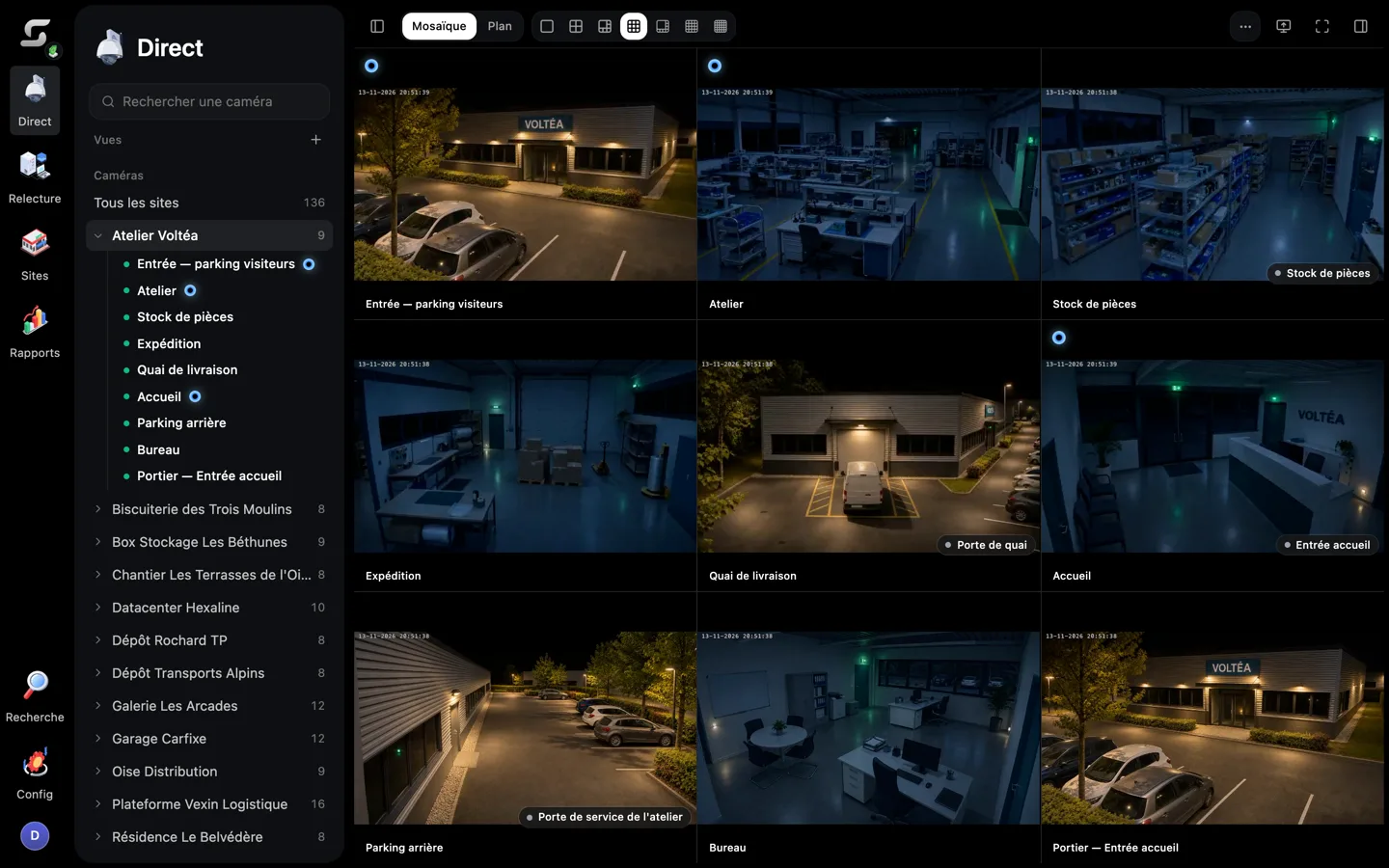
A video management system, or VMS, brings live viewing, recording, playback and management of many CCTV cameras into one system. Choose video surveillance software against those four tasks, not against a good live picture. The NPSA recommends defining the security need and involving operators before you specify any equipment. For each site, record the following:
- Risk: what the camera protects against, such as intrusion at a depot gate.
- Lighting and detail: night conditions and whether you need to identify a face or just detect presence.
- Monitoring responsibility: who watches the view, whether that is local staff or a remote centre.
- Response: what should follow an event, from a call to a guard dispatch.
Next, list each of your existing cameras and recorders with their make, model, firmware, codec, ONVIF profile and required functions. Camera compatibility can then be checked device by device before you budget for any replacement in a multi-brand system.
Check ONVIF functions and RTSP streams
ONVIF is the industry standard for camera interoperability. Conformance applies to specific software or firmware versions, not to a brand as a whole, so test the integration at the versions you will actually deploy. Profiles also cover different functions: streaming, edge recording and analytics events. A matching profile still has to be tested function by function. New Profile S conformance submissions end on 31 March 2027, and ONVIF recommends Profile T as its successor. Existing conformant Profile S devices will keep working after that date.
RTSP, the basic streaming protocol, is often offered as a fallback. It can give surveillance software a video path without configuring the camera, receiving its alarms or retrieving recordings held at the camera. Before you accept it, record and replay the exact stream and codec. A live view alone does not prove that recording works.
Pilot the installed camera mix
From the operator's chair, a pilot is only useful if it reflects the real estate. Include an older camera, a current model and a specialist device from each important manufacturer before deciding that the installed fleet can stay. In the proposed video management software, test these areas:
- Connection: discovery, authentication and recovery after a camera or network interruption.
- Recording and control: recorded streams, audio where needed and pan–tilt–zoom.
- Events and time: motion events and clock synchronisation across devices.
Then move the pilot to the operators' own workstations. Multi-camera layouts and the user interface behave differently on a busy control-room PC than on a supplier's laptop. Check image delay, dropped frames, low-light scenes, aspect ratio and shift handover rather than relying on a single-camera demonstration.
Products sold as multi-brand video management software bring cameras and recorders from different manufacturers into one interface. That claim should still pass the same pilot as any other.
Which deployment and capacity model fits your sites?
Once compatibility is settled, the next question is where the system runs and how much it has to carry. Deployment decides what happens during an outage. Capacity decides whether playback stays smooth as sites are added.
Compare premises, cloud and hybrid operation
An on-premises recorder keeps recording and local viewing running during a broadband outage. In return, someone has to own the server hardware, storage, power, patching, backup and physical security: your own IT team, or the supplier when it delivers and installs the machine itself. Ask which before comparing prices. Cloud-managed systems centralise administration while recording stays on site or at the edge. Cloud-recorded systems also depend on upload capacity. For either cloud design, test remote access, outage behaviour, data location, supplier access and exit arrangements.
Site by site, a hybrid video surveillance system can mix approaches: local recording or edge buffering at a remote car park, with central monitoring or selected footage replication to head office. Test which footage follows each path, and how gaps are reconciled when a link returns.
| Model | What it offers | What you must test or own |
|---|---|---|
| On-premises | Recording and local viewing during a broadband outage | Server hardware, storage, power, patching, backup, physical security |
| Cloud-managed | Central administration, recording on site or at the edge | Remote access, outage behaviour, data location, supplier access, exit |
| Cloud-recorded | Central administration and recording off site | Upload capacity, plus the same checks as cloud-managed |
| Hybrid | Local recording with central monitoring or selected replication | Which footage follows each path, reconciliation of gaps |
Size recording and test failure modes
Choose continuous, scheduled or event-based recording for each operational need. A loading bay may need continuous recording, while a quiet corridor may only need recording on events. Size storage from measured scene bitrates, recording hours, camera count, justified retention and footage preserved for incidents. Then test the planned camera streams, simultaneous viewers, search and export while recording continues. Processor, network and storage capacity need headroom if the system is to stay scalable across additional sites.
Failure tests matter as much as load tests. Simulate a full disk, a failed disk, a server restart and a lost uplink. Each one should show either continued recording, where the design promises it, or a visible fault that staff can act on.
Compare the full operating cost
The licence is only part of the cost. Ask each supplier for an itemised five-year GBP comparison covering licences, servers, storage, upload connectivity, integrations, maintenance, operator training and exit or export rights. Licensing models also differ in their ongoing costs: per-camera, subscription or perpetual. A perpetual licence does not necessarily include updates or technical support.
Support needs the same scrutiny. Confirm who supplies it and who owns faults involving the network or cameras. When support runs through an integrator, compare covered hours, escalation routes and the service agreement itself. Do not assume that the software seller covers every fault.
How should alerts support alarm verification?
Alerts are where software either saves operator time or wastes it. The test is not how many events a system detects. It is whether each alert leads a trained person to a quick, well-supported decision.
Match detection to the security task
Video analytics should match the site's purpose. Motion detection, line crossing, people counting and number-plate recognition answer different monitoring needs: a perimeter fence calls for line crossing, while a car park entrance may need plate recognition. Line crossing flags a person or object crossing a defined boundary in the camera view. It is a relatively basic analytic, and some newer cameras can run it themselves.
Advanced analytics demand more. Check the specified processor, RAM and storage requirements before adding them, or choose a supplier that delivers a machine already sized for its own AI. Facial recognition may need a dedicated GPU-equipped server, and it also needs a separate privacy assessment.
Measure missed events and nuisance alerts
That is where false alarms creep in: a detector tuned on staged intrusions alone meets real weather and real staff. Test intended intrusions alongside benign activity. Then keep a log for each test:
- Per camera: missed events and nuisance alerts for each view.
- Per shift: results for day, evening and night operation.
- Stated conditions: staff, vehicles, animals, rain, shadows and changing light present during the test.
- Retest trigger: a repeat run after every tuning or firmware change.
For AI-powered detection, compare where processing runs: at the camera or edge, on a local server, or in the cloud. Test delay, upload demand and operation during a broadband outage for each option.
Verify the operator's alarm workflow
An actionable notification should open the associated camera with pre- and post-event footage, so the operator can see what happened. AI alerts should prompt a trained operator's live verification, acknowledgement and an auditable decision. They should never quietly decide on their own that an event is safe.
The workflow also has to work at night and during faults. Test who receives overnight alerts, who hands a verified incident to a guard, and what local staff can still view when a wide-area connection fails.
Can operators retrieve and link evidence?
After verification comes evidence. A system is only as useful as the clip an operator can find, export and pass on, and as the link between a door event and the camera that saw it.
Test search and recorded playback
Give an ordinary operator a mock incident report and time how long it takes to find the right clip. Build the following into the exercise:
- Simultaneous cameras: one incident seen from several angles.
- Bookmarks and gaps: marked moments and missing recording periods.
- Footage near overwrite: clips close to their deletion date.
Judge recorded image quality, not the live screen. Clock accuracy needs testing across the GMT/BST change too, so that multi-camera CCTV footage lines up to the second.
On the ground, commission playback in daylight and darkness, and again after power loss, network loss or a restart. Record each exception and the response needed when footage is unavailable, such as a compensating patrol.
Export footage that others can use
The UK police examples make practical checks: export 15 minutes, then 24 hours, then a large incident set. Each export should carry native-quality footage with its date and time, any necessary player and an audit trail, and must play on a second machine. Keep a native-format master and make a separate playable or redacted working copy. The Forensic Science Regulator's statutory code, version 2, in force since 2 October 2025, distinguishes specialist forensic work from routine export in England and Wales.
Connect access-control events to video
An access control integration earns its place when a door event leads straight to the right picture. Test whether a door-forced, door-held or denied-access event opens the correct camera and time window, with matching identity and clocks.
Each integration then needs a full run: event arrival, operator acknowledgement, footage retrieval, recorded decision and handover to a guard. Include duplicate alarms and loss of connection in that test, because both happen on live sites.
ONVIF Profile M standardises analytics metadata and event exchange, yet supported features and product conformance still need checking. Door-release authority also stays a separate matter: a video link inside the video management system does not grant it.
How do you secure access and protect footage?
Every user, phone and remote connection is a way into the system. Security and privacy checks therefore belong in the selection, not after installation.
Check mobile and cross-platform tasks
Specify which tasks must work on a control-room PC, a browser and a phone. Cross-platform live viewing does not prove that the same user interface supports full administration. Test on managed phones over mobile data:
- Live view and alert-to-clip: from notification to recorded clip.
- Role limits: each user sees only permitted sites.
- Multi-factor authentication and logout: sign-in strength and session end.
- Lost-device revocation: access removed when a phone goes missing.
Check also whether clips can be saved to a personal gallery or cloud account, and define who may respond remotely to an incident. A mobile app for video surveillance and access control can extend those actions to a phone, which makes the rules matter more.
Separate roles and harden connections
Before an alert reaches the screen, permissions decide who may see it. Create distinct roles for security managers, monitoring-centre operators, guards, installers and investigators. Then test the controls below:
- Viewing limits and export approval: who sees which cameras and who signs off exports.
- Emergency access: how wider rights are granted during an incident.
- Audit logs: a record of each action and its author.
- Account revocation: removal when a person leaves or a contract ends.
Software built for multi-site management with role-based permissions should also show encrypted camera-to-server and server-to-client communication, protected stored footage, strong authentication and supported updates. A hardening plan covers network segmentation, firewall rules, changed default passwords on security cameras and documented remote access. Test supplier-access removal and backup restoration too.
Apply UK privacy rules to the final choice
According to the ICO, even live viewing of identifiable people counts as processing personal data. Set the CCTV purpose, lawful basis and access controls before deployment. The ICO also advises limited fields of view and clear notices, plus an assessment of whether a data protection impact assessment is required.
UK data-protection law sets no universal retention period. Keep footage for the shortest justified period and preserve incident material when needed. Compliance also depends on search and third-party masking: the ICO expects a subject access request to be answered within one month as a rule.
Among the options to put through these tests, Sentrallia provides multi-brand video surveillance software with AI analysis, delivered on a machine that Sentrallia installs on the customer's premises.
Frequently Asked Questions
Should you choose an open-platform or a closed video management system?
It depends on what you already have installed and how you expect it to change. An open platform can integrate a wider range of cameras, sensors and third-party analytics, and may let existing equipment stay in use, though its integrations need configuring and maintaining. A closed system can limit choices to one supplier but may cut initial configuration and training effort.
Do you need a licence to buy or operate video surveillance software in the UK?
Buying VMS software does not need a general UK government licence, and there is no routine government inspection. Under SIA guidance updated on 29 January 2026, whether staff need a licence depends on their activity and guarding purpose, which can include reviewing recorded footage. Job title alone does not decide it. The individual licence application fee is £204 from 1 April 2026.
Which regulatory charges apply alongside the cost of CCTV software?
A company using CCTV for crime prevention must pay an annual ICO data-protection fee unless an exemption applies. The ICO fee guide lists tiers of £52 and £78. The highest tier is £3,763. This is a charge on the data controller, separate from any software price.
Sources